





Mandatory from 19 June 2026
Why now?
On 19 June 2026 the statutory obligation for an electronic withdrawal button comes into force. From that date, shops without a button violate applicable law and risk warning notices. The deadline is not negotiable, and implementation requires a working process, not just a button. The Withdrawal Button OPAL is available free of charge and ready to use. Anyone who sets it up now is compliant before the cut-off date and saves time in customer service from day one.
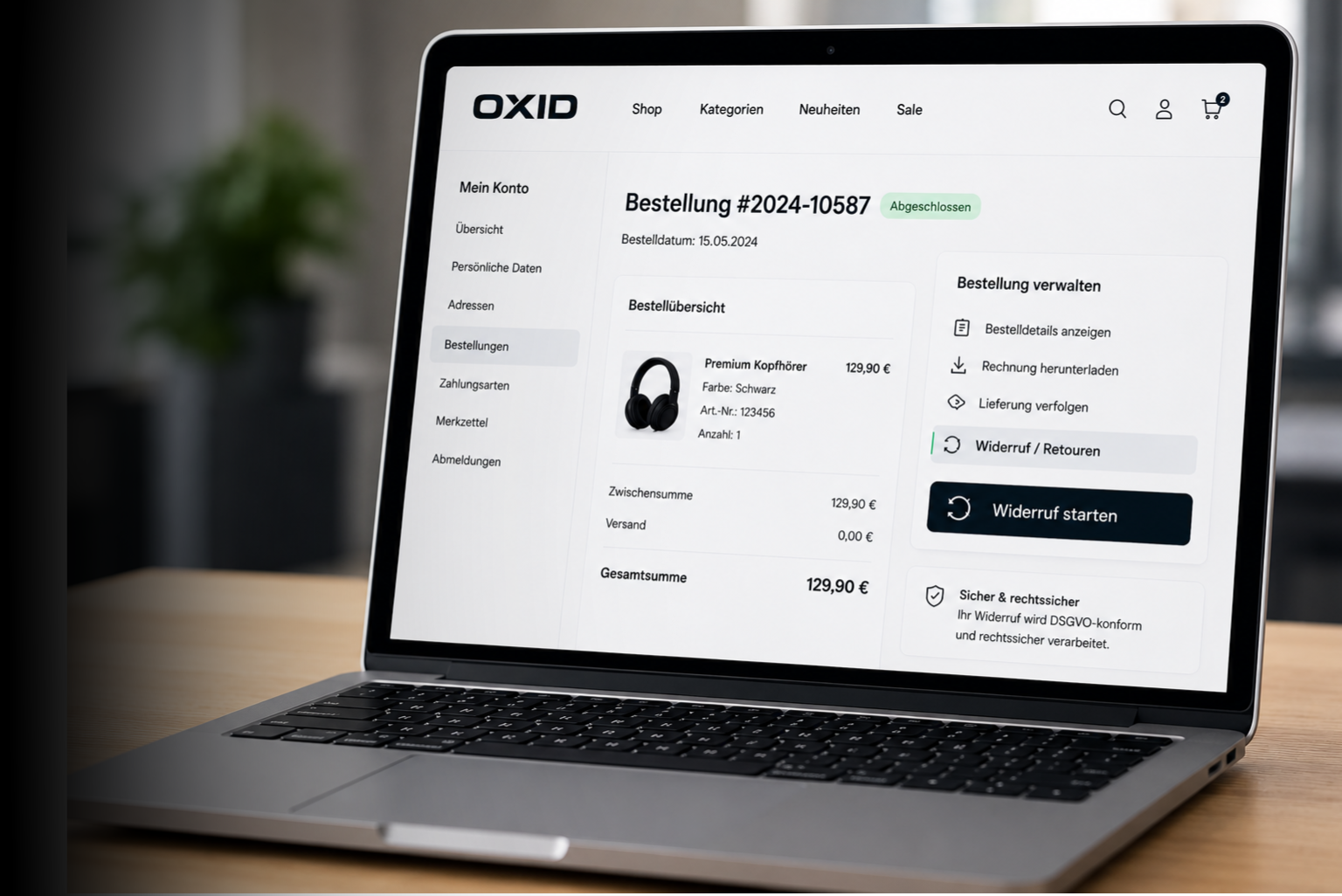
Example integration: The presentation may differ from the actual implementation depending on shop and theme.
What the OPAL solves for you
Statutory obligation met
From 19 June 2026, an electronic withdrawal button is a statutory obligation for every B2C shop. The OPAL meets this requirement immediately and free of charge.
Proof in deadline disputes
Every withdrawal is documented automatically with a timestamp in accordance with §356 BGB. In deadline disputes the proof is on hand, without anyone having to search for it.
Automated process
Deadline checking, order matching and customer notification run automatically. Your service team processes cases instead of piecing them together.
Before / After
Your customer writes an email: "I want to withdraw from order 12345." Your team looks up the order, calculates the deadline, replies by email. Three days later she follows up because she has no confirmation.
Your customer clicks the withdrawal button in the order history, the form is pre-filled. After 30 seconds she sees the confirmation with a timestamp. The order overview shows "Being processed". No call, no follow-up.
A customer claims he withdrew in time. You search email threads for when it arrived. Exactly when did the mail come in? The deadline calculation becomes a dispute, and you have no reliable proof.
The timestamp shows the date and time of submission to the exact second. The complete withdrawal declaration is documented. In deadline disputes the proof is immediately available.
Monday after Christmas. 40 withdrawal emails. Some with an order number, some without. Your team spends half the day assigning requests to the right orders and calculating deadlines.
40 requests land automatically in the administration area, matched, with a checked deadline, sorted by status. Your team opens the list, sets processing statuses and is done in a fraction of the time.
A colleague is off sick, her stand-in finds three open withdrawal cases in her email inbox. Which one is urgent? Which deadline is running out? Where does each case stand? Nobody knows.
All cases are in a central overview with status, date and deadline information. Everyone on the team sees immediately which requests are open, regardless of who created them.
A customer submits the same withdrawal three times: once by email, once by phone, once via the contact form. Your team processes all three before anyone notices the duplication.
The OPAL detects duplicate submissions within 24 hours automatically and blocks them. Your team processes each case exactly once.
Part of the OPAL family
OPALs are prebuilt project accelerators from OXID eSales that serve as a solid foundation and need to be adapted to your system landscape.

Features at a glance
OXID
<OPAL/>
Withdrawal form right in the shop
Your customers find a link in the footer to a dedicated withdrawal page. There they enter the order number, name and email address and submit their withdrawal without having to log in. The page is reachable under a readable address (/widerruf/).
Withdrawal button right in the order overview
In the order history of the customer account, a withdrawal button appears per order as long as the deadline is running. A click opens the form with a pre-filled order number, name and email address. After submission, the order overview shows the current processing status.
Automatic calculation and checking of the withdrawal deadline
The OPAL calculates the deadline from the shipping date (fallback: order date) and automatically hides the button after it expires. Late requests via the form are rejected with a clear message. The deadline length is configurable in the administration area (default: 14 days).
Automatic order matching with email check
Every request is matched automatically against the order stock: does the order or invoice number match? Does the email address fit the order? Only on a match is the request assigned. The OPAL detects duplicate submissions within 24 hours and blocks them.
Automated batch checking for high request volumes
Open requests that could not be matched automatically on submission are reconciled by the OPAL in bulk against the order stock. This background job can be run regularly and automatically, with a configurable number per run.
Legally compliant withdrawal declaration with a timestamp in accordance with §356 BGB
After a successful submission, the customer sees a complete summary: exact timestamp, name, email address, order number and optional message. This confirmation documents the receipt of the withdrawal declaration, exactly what counts in a dispute.
Who is this OPAL for?
Shop operator / e-commerce manager
A customer complains publicly that she has not received a confirmation of her withdrawal for four days.
What the OPAL delivers here
After setup, all withdrawal requests land automatically in a central overview in the administration area. Order number, email address and deadline are checked by the OPAL, not by your team. You see at a glance which cases are open, set the status and trigger a customer notification via checkbox if needed. You adjust the email texts directly in the administration area, separately for each status, without a detour via IT. The legally required documentation with a timestamp is created automatically on every submission.
Frequently asked questions
Price
€0
for existing customers
€50/month
for everyone else
OPALs are also available in subscription packages.
Let's talk.
We'll get back to you within one business day with answers about the OPAL Withdrawal Button and a proposal for the next step.